
Name and avatar
Set a display name, choose an avatar style, and keep your profile readable for teammates.
Profile is your account and security center.
Use Profile for personal security questions. Use Audit for account trail, session history, and a support-safe history packet. Use Billing for plan limits, Hubs for hub setup, Clients and Connections for setup links and connection files, and Permissions for access.
| Security question | First check |
|---|---|
| Two-step sign-in blocks an action | Confirm the authenticator app and recovery codes. |
| Setup material access is blocked | Review two-step sign-in before returning to Connections. |
| An active browser looks unfamiliar | Remove old sessions before continuing setup. |
| You need account trail or session history | Open Audit before asking support. |
| The question is about plan limits | Open Billing instead of changing Profile. |
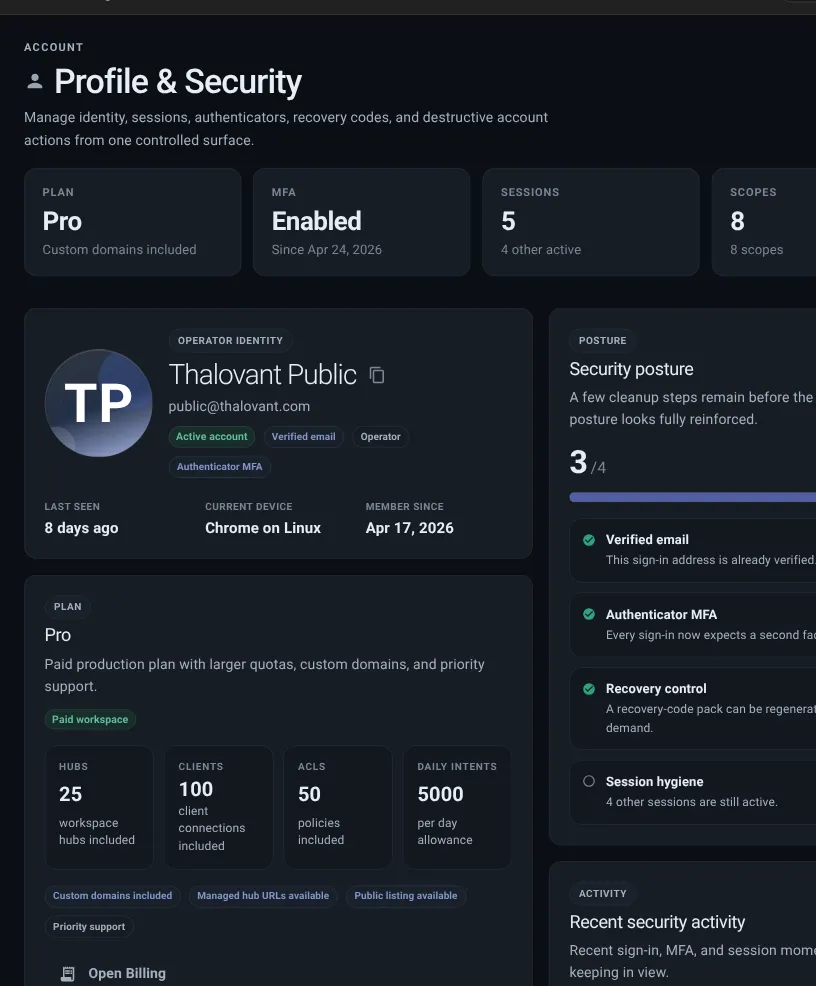
Name and avatar
Set a display name, choose an avatar style, and keep your profile readable for teammates.
Two-step sign-in
Enable an authenticator app, generate recovery codes, and protect private setup material.
Current devices
Review active browsers, remove old sessions, and set how long an idle browser stays signed in.
Plan summary
See hub, client, permissions, daily limits, hub address, listing, and help details.
Account data
Download a machine-readable copy of your retained account data before deleting the account.
Two-step sign-in protects sensitive account actions, setup links, and private connection files. When required, your account may be limited to security settings until it is set up.
Keep recovery codes somewhere safe outside Thalovant. Each code works once when the authenticator app is unavailable.
Use active browser controls to:
Use Audit when you need to compare session history or export safe support context. Use Profile when you need to remove sessions or change security settings.
Choose Download account data to create a JSON file containing your profile, safe resource inventory, retained memory, API-token metadata, approved browser origins, and session metadata. The export includes memory content because it is your account copy.
The export never includes passwords or hashes, authenticator secrets, recovery codes, API-token hashes, setup credentials, private runtime specifications, or payment-provider identifiers. Keep the file private and inspect it before sharing any part of it.
Account resources remain until you delete them or delete the account. Memory remains under your control until deletion, expiry, or account deletion. Session records remain through expiry, revocation, and operational cleanup. Account deletion erases identity-linked analytics and audit traces transactionally; one unlinkable deletion marker and non-identifying aggregates may remain.
Because setup links and client connection files behave like passwords, check Profile first when access is blocked or sensitive:
Download and inspect your account export before deletion if you want a copy. Account deletion cannot be undone: it removes the sign-in, revokes sessions, and erases linked resources and identity-linked telemetry. Do not use account actions to fix a hub or client issue. Those issues belong on Hubs, Clients, Permissions, Skills, Dashboard, or Live Map.
Profile is ready when: